
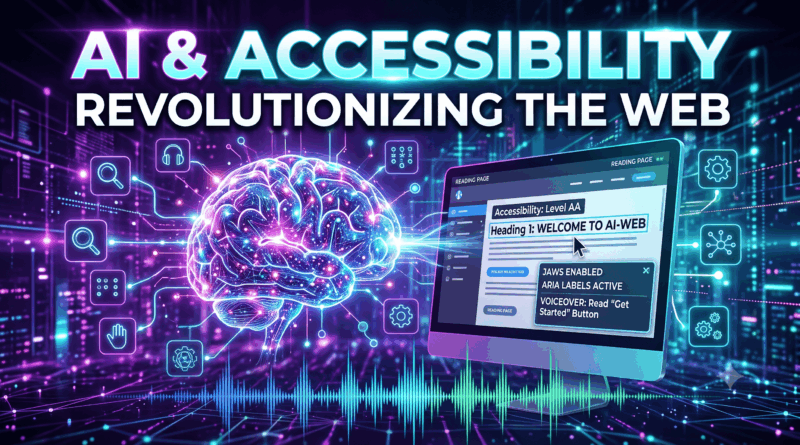
How Generative AI and Screen Readers Are Transforming Web Accessibility
The digital accessibility landscape is undergoing a fundamental transformation. For decades, visually impaired and low-vision users relied entirely on assistive technologies like screen readers, such as NVDA, JAWS, and VoiceOver, to navigate the web. While these tools translate written code into synthesized speech or refreshable braille displays, their effectiveness historically depended on developers manually writing clean HTML structures and descriptive alt text attributes.
Unfortunately, millions of websites still lack proper accessibility tags, leaving millions of users navigating broken, uncontextualized web pages. Today, the integration of Generative AI, multimodal Large Language Models (LLMs), and computer vision APIs is closing this accessibility gap. Generative AI is changing web accessibility from static compliance into dynamic, real-time assistance.
1. The Historical Challenges of Web Accessibility
To appreciate AI’s impact, it is essential to recognize the traditional pain points of accessibility on the modern web.
The Missing Alt-Text Problem
Web Content Accessibility Guidelines (WCAG) require all non-text content (images, diagrams, icons) to include descriptive alternative text. In practice, vast portions of the web feature missing alt attributes, unhelpful placeholder names (e.g., alt="IMG_4090.jpg"), or generic labels (e.g., alt="image").
Dynamic Web Applications and Broken DOMs
Modern JavaScript frameworks (React, Vue, Angular) frequently update DOM elements without proper ARIA (Accessible Rich Internet Applications) live region attributes. Consequently, screen readers often fail to announce modal popups, dynamic error messages, or state updates.
2. Real-Time Image and Scene Description via Multimodal AI
Multimodal generative AI models can analyze visual pixel data and output structured, human-sounding narrative descriptions instantly.
+-------------------------------------------------------------------+
|                        Web Page Image Loader                      |
+-------------------------------------------------------------------+
                                  |
                                  v
+-------------------------------------------------------------------+
|                  Missing or Generic Alt-Text Detected              |
+-------------------------------------------------------------------+
                                  |
                                  v
+-------------------------------------------------------------------+
|                      Multimodal AI API Call                       |
|   Inputs: Image Pixels + Surrounding Page Text Context             |
+-------------------------------------------------------------------+
                                  |
                                  v
+-------------------------------------------------------------------+
|                   Context-Aware Text Generation                   |
|  "Chart showing 25% revenue growth in Q3 with a highlighted peak" |
+-------------------------------------------------------------------+
                                  |
                                  v
+-------------------------------------------------------------------+
|                   Screen Reader Speech Output                     |
|  Audio synthesis reads natural description seamlessly to user     |
+-------------------------------------------------------------------+
Contextual Understanding vs. Basic Object Recognition
Legacy computer vision tools could only identify isolated objects (e.g., “cat”, “car”, “person”). Modern multimodal models interpret context, relationships, and intent:
-
Legacy Vision Tool: “A bar chart with blue and red lines.”
-
Generative AI System: “A bar chart illustrating quarterly revenue comparison between 2024 and 2025. Sales peaked in Q3 at $4.2 million, represented by the highest blue bar.”
This depth of interpretation gives screen reader users equal access to nuanced information hidden inside visual charts, infomediaries, and diagrams.
3. Automated ARIA Labeling and Code Repair
Beyond user-facing narration, AI tools are integrated directly into developer workflows and automated testing suites to fix accessibility errors at compile time.
Automated Remediation
AI-powered accessibility engines inspect dynamic web applications in real time. If an interactive element lacks accessible markup, the engine auto-injects missing attributes into the DOM:
HTML
<!-- Before AI Remediation -->
<div onclick="submitForm()" class="btn-custom">Submit</div>

<!-- AI-Injected Accessible DOM Element -->
<div onclick="submitForm()"
     class="btn-custom"
     role="button"
     tabindex="0"
     aria-label="Submit Form Registration">
     Submit
</div>
By inferring element functionality from class names, surrounding text, and click event handlers, AI helper systems convert non-accessible markup into keyboard-navigable interface elements.
4. Intelligent Web Summarization and Page Navigation
For screen reader users, consuming long-form web content sequentially can be time-consuming. Listening to an entire page header, navigation menu, sidebars, and main text at 3x playback speed requires significant cognitive effort.
AI Page Synthesis
Next-generation assistive software uses lightweight language models to provide on-demand web page summaries and structural maps:
-
Interactive Q&A: A user landing on a complex medical portal can ask verbally, “What are the office hours listed on this page?” The AI parses the DOM and responds immediately without forcing the user to tab through every menu section.
-
Dynamic Reading Modes: AI identifies main article content, strips away navigational bloat and advertisements, and constructs a clean reading view optimized for screen readers or screen magnification tools.
5. Ethical Considerations, Safety, and Limitations
While AI-driven accessibility brings impressive capabilities, developers must address specific technical risks:
-
Hallucination Risks: An AI model might misread numbers in an image or hallucinate details in a complex chart, potentially conveying incorrect information to visually impaired users.
-
Latency and Resource Usage: Live API calls to cloud LLMs add latency to web browsing. Edge-based, lightweight on-device vision models are required to deliver real-time performance.
-
The “Band-Aid” Pitfall: AI remediation tools should serve as a safety net, not an excuse for developers to bypass proper WCAG coding practices during core software development.
Conclusion
The fusion of Generative AI and screen readers marks a major leap forward for digital inclusion. By generating context-rich image descriptions, repairing broken ARIA structures on the fly, and enabling natural language navigation across web applications, AI empowers low-vision users to experience the web with independence and efficiency.
